Miga Town: My World
XiHe Digital (GuangZhou) Technology Co., Ltd.Educational
4.210.06K Reviews
- Version
- 1.102
- Installs
- 50.00M
- Age Rating
- Everyone
Screenshots
Our Review of Miga Town: My World
 Analysis by Appyee
I like creative games that leave room for a child to invent the goal instead of following a fixed set of missions, and Miga Town: My World is built around that kind of open-ended play. It gives me a collection of places, characters, and objects to use in little made-up stories. The appeal is less about winning and more about deciding what happens next.
What the free starting point offers
The game is free to download, which makes it easy to try before deciding whether its paid content is worthwhile. In-app purchases range from $0.99 to $69.99 per item, so I would treat the free version as a chance to see whether the style of play suits your household, not as a promise that every location or item is included at no cost. The game is rated Everyone, and XiHe Digital (GuangZhou) Technology Co., Ltd. is its developer.
That distinction matters for families. A child can explore the available content without a purchase, while the wider range of paid items may tempt them to ask for more. I’d look through the purchase options together and agree on a clear rule before handing over a device. The game’s broad range of individual prices also makes it sensible to check each item rather than assuming that one purchase unlocks everything.
Where the play value comes from
The strongest value here is the freedom to make up scenes. I can set up a character, choose a place, and turn ordinary objects into props for a story. A café can become the setting for a family outing; a home can host a pretend sleepover. This is a different kind of payoff from a game that rewards levels or scores: the fun comes from the child’s own ideas and the small details they add.
That open format can also make short play sessions feel complete. A child might arrange a room and act out one scene, then leave the game without needing to finish a level. On another day, the same setup can become the start of a different story. For a parent looking for a calm creative activity between errands or before dinner, that flexibility is more useful than a long sequence that demands sustained attention.
Who is likely to enjoy it
I’d recommend it most to children who like dollhouses, pretend play, character styling, and inventing dialogue. It can work well when a child wants to play alone, but it also gives siblings or a parent a simple way to join in: one person can choose characters while another suggests what happens in the next room. The game’s approachable presentation makes it easier to begin than a creative tool that expects users to learn complicated controls first.
Adults may enjoy it as a light, low-pressure diversion too, especially if they like arranging scenes rather than chasing objectives. But I wouldn’t choose it for someone who wants educational instruction in a structured sense, a competitive challenge, or a story with a definite ending. Its educational appeal is mainly in imaginative play and making choices, not in lessons, quizzes, or a measured curriculum.
How it differs from other children’s games
Compared with a conventional puzzle or learning game, this is much less guided. There is no single correct answer to work toward; the player supplies the purpose. Compared with a toy-like building game, the emphasis is on arranging characters and locations into scenes rather than on mastering a deep construction system. That makes it approachable, but also means a child who needs clear goals may ask, “What do I do now?”
My practical suggestion is to offer a simple prompt rather than explain every control: “Can you make a place where two characters meet?” or “What might happen after the shop closes?” A small prompt can help a hesitant player get started, then the adult can step back. This keeps the play child-led without turning it into a lesson, and it avoids the common problem of an open sandbox feeling empty at first.
Inside the Town and Its Creative Tools
I find that open-ended play works best when a child has a small starting idea, rather than being asked to explore everything at once. A character, a familiar place, and one simple question can be enough to turn choosing and arranging into a story. That approach also makes it easier to notice which creative choices keep the play going.
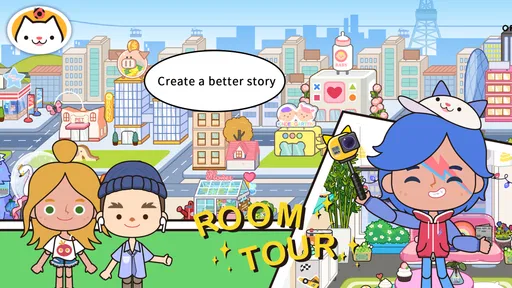
Creating Your Own Story
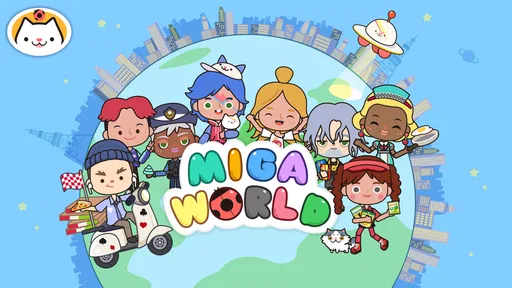
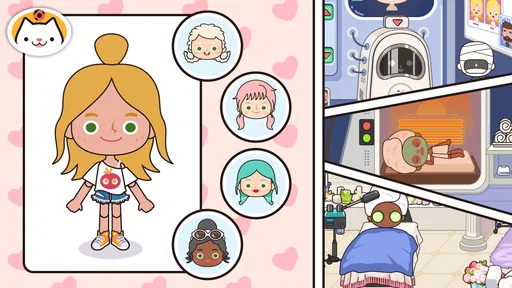
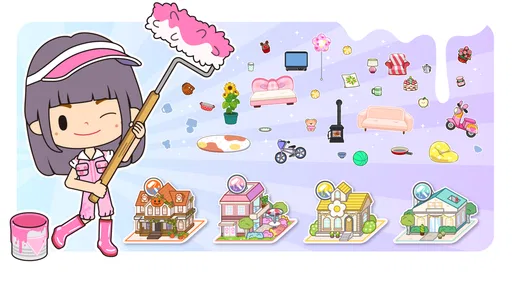
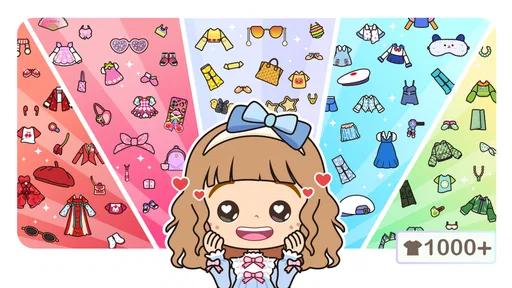
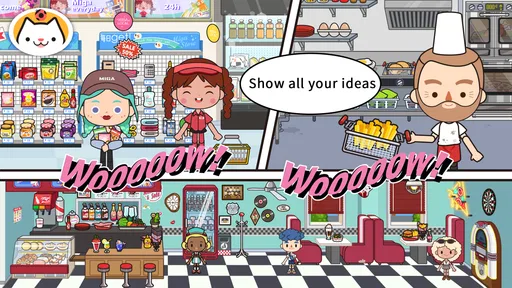
One of the coolest features of Miga Town is the level of customization it offers. You can deck out your characters with all sorts of outfits and accessories. Feeling like a fashionista one day and a superhero the next? No problem! The wardrobe options are vast, so you can let your imagination run wild. The same goes for your environment. You can design spaces to your heart’s content, whether it’s a cozy home or a bustling café.
Exploring the Town
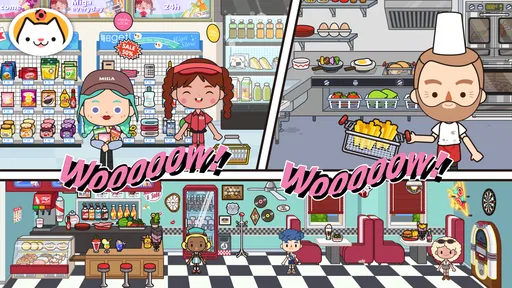
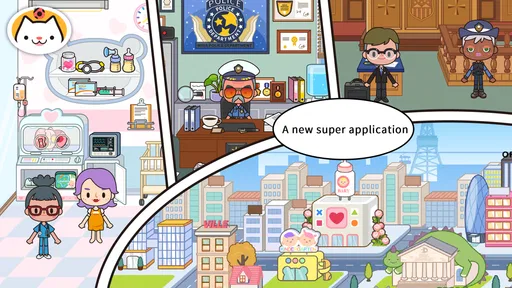
Once you’ve got your characters and spaces set up, it’s time to explore. The app offers a variety of locations like shopping malls, restaurants, and parks. Each place has unique items and interactions, providing endless opportunities for storytelling. I found myself lost in the possibilities. Want to run a pet shop or throw a party at the beach? Go for it!
A useful way to build a scene
Rather than hopping between locations without a plan, I’d start with a simple story and gather what it needs: choose the characters, pick a setting, and then arrange the objects that make the scene understandable. For a pretend café visit, for example, a child can decide who is serving and who is visiting before moving everyone into place. This turns browsing into a creative workflow, and it gives children who are easily distracted a clear starting point without imposing a rigid objective.
It can also help to let a child revisit a familiar setting instead of constantly seeking new places. Reusing a location encourages them to change the characters’ roles or invent a different event, so the story can evolve even when the setting stays the same. That is a useful trade-off in a game with optional paid content: imagination can make existing spaces feel fresh, although it will not substitute for a specific location or item a player particularly wants.
User-Friendly Interface
One thing that really stood out to me is how intuitive the interface is. Even if you’re not tech-savvy, navigating through the app is a breeze. Everything is laid out clearly, and the drag-and-drop mechanics make it simple to move items and characters around. It’s designed in a way that’s accessible to both kids and adults, which is always a plus in my book.
Making it work in an everyday routine
Imagine a child waiting while dinner is being prepared. Instead of beginning a long game session, they can choose a room, dress a character for the occasion, and act out a short visit or celebration. When it is time to stop, the scene itself provides a natural pause: the story can continue another day. I find that a better fit for brief stretches of free time than games built around timed rounds or a sequence of levels that feels unfinished when interrupted.
For a shared session, I’d let the child control the device and ask open questions rather than take over the scene. “Who has arrived?” or “What does this character need?” can prompt more play without turning the experience into a test. If the child prefers to explore quietly, there is no need to narrate; the value is in having space to experiment at their own pace.
Graphics and Sound
The visuals in Miga Town are colorful and engaging. They have this charming, cartoonish style that makes the game feel lively and inviting. The sound effects and music add to the experience, enhancing the playful atmosphere without being overwhelming. It’s a balance that keeps the game enjoyable for longer sessions.
Trade-offs to consider before spending
The main friction is the boundary between what can be explored for free and what is available through purchases. A child who enjoys the game may naturally want access to more settings or items, so the free entry point does not remove the need for adult oversight. I would decide on a spending limit in advance, and make purchases only when the child can explain what they want to use and why. That makes the choice about a specific play interest rather than a vague promise of “more.”
There is another trade-off with open-ended play: the same freedom that encourages invention can leave some players unsure what to do. If a child expects clear instructions, a goal, and a reward after each step, a guided puzzle or lesson-based game may be a better match. I also would not buy extra content simply to solve boredom; if the basic activity of dressing characters and staging scenes is not engaging, more options may not change that.
What Could Be Better?
While the app offers a lot, there are some areas that could use a bit of improvement. For instance, some items and locations are behind a paywall. This might be a little frustrating if you’re looking to have the full experience without making in-app purchases. However, there’s still plenty you can do without spending a dime, so it’s not a dealbreaker for me.
Age, device fit, and expectations
The Everyone content rating makes the game suitable for a broad audience, but children still vary in how much guidance they need with open-ended play and purchase decisions. I’d introduce it alongside a quick conversation about which parts are available without paying. That helps prevent a child from treating every locked option as something they should immediately have, and it gives parents a chance to see whether the free play holds their interest first.
On Android, the current version is 1.96 and it requires Android 5.1 or later. The game first appeared on November 27, 2019, and its reach is reflected in more than 50 million installs. Its average rating is 4.2 from around 731,000 ratings, with roughly 10,000 written reviews. Those figures suggest broad interest, but they do not tell me whether a particular child will enjoy unstructured storytelling, so I’d still start with the free experience.
When another choice makes more sense
If the goal is practicing a specific school skill, I’d choose an educational app with clear exercises and feedback. If a child wants a challenge with measurable progress, a puzzle game is likely to satisfy them more. And if they prefer a tightly written adventure, a game with a fixed plot will offer a clearer sense of direction. This one makes most sense when the child enjoys making up the plot themselves and is happy to return to familiar places.
It is also not the best fit for families who want to avoid all in-app purchase prompts or who need every part of a game to be included at no additional cost. The free version is a low-risk way to test the play style, but the paid range means a parent should stay involved if a child is likely to tap on items they want. That is a practical consideration, not a reason to dismiss the game outright.
Perfect for All Ages
Whether you’re a kid looking to have some fun or an adult wanting to unwind, Miga Town has something for everyone. It’s a great way to flex your creative muscles and escape into a world of your own making. Plus, it’s a fantastic tool for storytelling, which is something I really enjoyed.
My buy-or-skip verdict
I’d try it for free if the person playing likes pretend worlds, character customization, and inventing scenes without being told what to accomplish. I’d skip paying for extra content until the free play has shown that the basic format is a good fit, then consider an individual purchase only when a particular item or place would meaningfully support the stories they want to make. The listed in-app purchase range is $0.99 to $69.99 per item, so checking the exact choice matters.
For someone seeking lessons, competitive play, or a guided narrative, I’d spend time elsewhere. For a child who turns a handful of characters and a familiar room into a new story every time, the free starting point can offer worthwhile creative play, with optional spending kept deliberate and parent-guided.
Overall, Miga Town: My World is a delightful app that offers endless possibilities for creativity and play. Sure, it has its quirks, but the sheer amount of customization and exploration it offers more than makes up for it. If you’re looking for a way to let your imagination soar, give it a try. Who knows what kind of world you’ll create next?
Verdict
Strengths of Miga Town: My World
- Vibrant and engaging graphics.
- Easy-to-navigate user interface.
- Frequent updates with new content.
- Encourages creativity and exploration.
- No in-app ads disrupting play.
Limitations of Miga Town: My World
- Limited free content available.
- Some features require in-app purchases.
- Needs internet for content downloads.
- Occasional lag on older devices.
- No multiplayer or online interaction.
Similar Picks in This Category
View All
Little Panda Policeman
BabyBus4.0

Monster Trucks Game for Kids 2
Raz Games4.1

Little Panda's Chinese Recipes
BabyBus4.4

Little Panda's Restaurant
BabyBus4.4

Little Panda's Ice Cream Games
BabyBus4.3

Baby Panda Care
BabyBus3.8
Frequently Asked Questions
What is the main objective of Miga Town: My World?
Miga Town: My World is designed to spark creativity and exploration in an open-ended virtual environment. Players can explore multiple locations, create stories, and interact with a variety of characters and items. It's a sandbox-style game that encourages imagination and storytelling without specific goals or missions.
Is Miga Town: My World suitable for children?
Yes, Miga Town: My World is particularly suitable for children. It offers a safe and interactive environment where young players can explore and express their creativity. The app is free from in-app purchases that might lead to unintended expenses, making it a parent-friendly choice for entertainment and learning.
Does Miga Town: My World require an internet connection?
No, Miga Town: My World can be played offline. This feature allows users to enjoy the game anywhere, without needing a constant internet connection. However, some features or updates might require internet access to download new content or enhancements.
Are there any in-app purchases in Miga Town: My World?
Yes, while Miga Town: My World is free to download, it does offer in-app purchases. These purchases unlock additional locations and items, enhancing the gameplay experience. It's important for parents to be aware of these options to manage spending and ensure a child-friendly experience.
What platforms support Miga Town: My World?
Miga Town: My World is available on both Android and iOS platforms. Users can download it from the Google Play Store for Android devices and the Apple App Store for iOS devices. The app is optimized to run smoothly on most smartphones and tablets, providing a consistent experience across devices.
Play our best games!


